
Whenever we create a Delta table using the write(). format(‘delta’).saveAsTable(‘DimCustomer), the table will be named “dimcustomer”. The table’s columns can use mixed case, but it seems that saving a table using mixed case – DimCustomer with capital D and capital C cannot be done with Spark default options. If we use Fabric Data Factory, we can specify DimCustomer in the target table and the table name will not be lowercased.
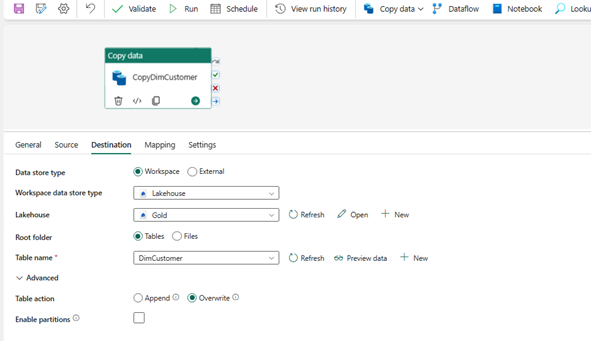
And the resulting table will be named with mixed-case.

But when we use a notebook (code) to create the table, things are a bit different as shown below. The table name is dimcustomer, no upper-case letters, no mixed case letters.


This is a bit annoying to me. I looked on the web and I couldn’t find a way to name a Delta table with mixed or uppercase. The I found an article that talked about case sensitivity with Spark by using a config command : spark.conf.set(‘spark.sql.caseSensitive’, False).
I used it in my code and voilà! I now have a table name with mixed case! The only thing I had to do was to drop the table before. I could not use the “overwrite” option to simply rename the table. But I don’t have to do it in my subsequent loads.


Hope this article will help people that had the same issue I had with Delta table names!
 ETL/BI-blogger
Leave a comment